AI document processing uses artificial intelligence to classify, extract, validate, and organize information from supply chain documents such as invoices, purchase orders, shipping documents, and proof of delivery records.
AI Document Processing in Supply Chain: Automating Procurement, Logistics, and Operations
Listen to this article
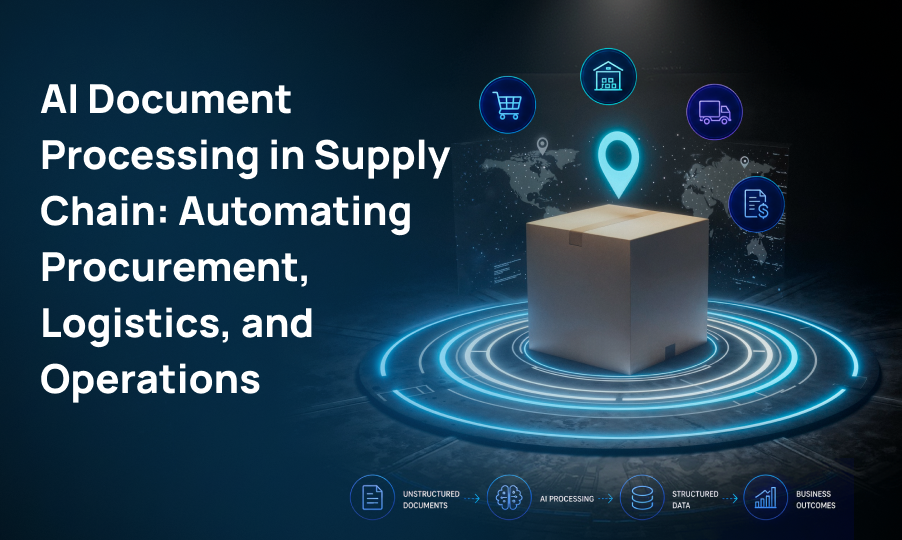
Supply chains generate and exchange enormous amounts of information every day. Purchase orders, invoices, bills of lading, packing slips, customs forms, delivery receipts, supplier certificates, and contracts all contain information that needs to be captured and transferred between systems.
Yet many supply chain processes still depend on people manually reading documents, entering information into business applications, checking data, and resolving discrepancies.
This creates a problem that goes beyond administrative workload. Manual document processing can slow procurement, delay invoice approvals, create data-entry errors, and make it harder for supply chain teams to maintain accurate visibility into orders and shipments.
AI document processing offers a way to automate much of this work. Instead of simply converting an image or PDF into text, modern AI-powered document processing can identify document types, understand their context, extract relevant information, validate data, and route exceptions to the appropriate person or system.
For supply chain organizations, the opportunity is not simply to digitize documents. It is to turn documents into usable operational data.
Table of Contents
- What Is AI Document Processing in Supply Chain?
- Why Document Processing Is a Challenge in Supply Chain
- What Supply Chain Documents Can AI Process?
- How AI Document Processing Works
- Key Use Cases for AI Document Processing in Supply Chain
- AI Document Processing vs. Traditional OCR
- Benefits of AI Document Processing for Supply Chain Operations
- Where Human Review Still Matters
- Integrating AI Document Processing With Supply Chain Systems
- Common Challenges When Implementing AI Document Processing
- How to Build an AI Document Processing Strategy for Supply Chain
- What to Measure After Implementation
- The Future of AI Document Processing in Supply Chain
- Frequently Asked Questions
- Conclusion
What Is AI Document Processing in Supply Chain?
AI document processing uses artificial intelligence to capture, understand, extract, validate, and organize information from business documents.
Traditional document digitization typically relies on OCR, or optical character recognition. OCR can recognize text from a scanned document, but recognizing text is only one part of the problem.
A supply chain invoice, for example, may contain:
- Supplier information
- Invoice number
- Purchase order number
- Product descriptions
- Quantities
- Unit prices
- Taxes
- Shipping charges
- Payment terms
AI document processing can identify what each piece of information represents and extract it into structured fields.
The process can then connect this information with existing procurement, finance, logistics, or ERP workflows.
In practical terms, the transformation looks like this:
Unstructured document → Extracted information → Validated data → Business workflow
This makes AI document processing particularly useful for supply chain environments where large numbers of documents arrive in different formats from different suppliers and logistics providers.
Why Document Processing Is a Challenge in Supply Chain
Supply chain operations are highly dependent on information moving between organizations. A single transaction may involve a buyer, supplier, carrier, warehouse, customs authority, and finance team.
Each participant may use different systems and document formats.
Manual Data Entry Creates Bottlenecks
Employees may need to manually enter information from supplier invoices, purchase orders, delivery receipts, or shipping documents into internal systems.
When document volumes increase, this approach becomes difficult to scale.
Documents Come in Different Formats
One supplier might send a structured PDF while another sends a scanned document or an attachment through email. Some documents may have tables, handwritten information, stamps, signatures, or inconsistent layouts.
This variability makes template-based automation difficult.
Errors Can Affect Downstream Operations
An incorrect quantity, purchase order number, product code, or invoice amount can create additional work.
A small data-entry error may result in an invoice mismatch, delayed payment, incorrect inventory information, or a shipment exception.
Supply Chain Teams Need Timely Information
The longer it takes to process a document, the longer downstream teams may have to wait for accurate information.
Faster document processing can therefore contribute to faster operational workflows.
What Supply Chain Documents Can AI Process?
AI document processing can be applied to many document types across procurement, logistics, warehouse operations, finance, and compliance.
Common examples include:
Purchase Orders
AI can extract purchase order numbers, supplier information, product details, quantities, prices, and delivery requirements.
Invoices
Invoice data can be captured and structured for accounts payable workflows, including supplier information, line items, taxes, totals, and payment terms.
Bills of Lading
Important shipping information such as shipment details, carrier information, quantities, origin, destination, and reference numbers can be extracted.
Packing Slips
AI can capture product and quantity information and compare it against purchase orders or receiving records.
Proof of Delivery Documents
Delivery information can be extracted and connected to shipment or order records.
Customs and Trade Documents
AI can help capture information from customs declarations, certificates of origin, commercial invoices, and other trade-related documentation.
Supplier Documents
Supplier onboarding forms, certifications, contracts, insurance documents, and compliance records can also be processed and organized.
The exact documents that should be automated will depend on the organization's processes, document volume, and system environment.
How AI Document Processing Works
An AI document processing workflow generally consists of several stages.
Document Capture
Documents enter the workflow through sources such as:
- Email attachments
- Document management systems
- Supplier portals
- Scanners
- Cloud storage
- Enterprise applications
Document Classification
AI identifies the type of document being processed.
For example, the system can distinguish between an invoice, purchase order, packing slip, or bill of lading.
Data Extraction
Relevant information is extracted from the document.
Rather than treating every piece of text equally, AI can identify the fields that matter to the specific business process.
Data Validation
Extracted information can be checked against business rules and existing records.
For example, an invoice may be compared with a purchase order and receiving record.
Exception Handling
If information is missing, inconsistent, or falls below a defined confidence threshold, the document can be routed to a human reviewer.
This creates a human-in-the-loop process instead of attempting to automate every decision.
System Integration
Validated information can then be sent to the relevant ERP, procurement, warehouse, transportation, or financial system.
The result is a workflow in which documents become structured business information rather than isolated files.
Key Use Cases for AI Document Processing in Supply Chain
Purchase Order Processing
Purchase orders are often exchanged between buyers and suppliers in different formats.
AI can extract PO information and transfer it into procurement or ERP systems, reducing repetitive data entry.
Organizations can also use automated validation to identify missing or inconsistent information before an order moves further through the workflow.
Invoice Processing and Three-Way Matching
Invoice processing is one of the most common document-heavy processes in supply chain operations.
AI can extract invoice information and support matching between:
Purchase Order → Receipt → Invoice
This three-way matching process can help identify differences in quantities, prices, or other information.
Instead of requiring employees to manually review every invoice, organizations can automate straightforward transactions and route exceptions for review.
Freight and Shipping Document Processing
Logistics teams work with documents such as bills of lading, delivery receipts, freight invoices, and shipping instructions.
AI can extract shipment-related information and connect it to transportation workflows.
This can reduce the time employees spend manually transferring information between shipping documents and logistics systems.
Customs and Trade Compliance
International supply chains generate significant documentation.
AI document processing can help extract relevant information from customs and trade documents and identify missing or inconsistent fields.
It should not replace professional compliance judgment, but it can reduce the administrative work involved in preparing and reviewing documentation.
Proof of Delivery Processing
Proof of delivery documents contain information that can affect order completion, billing, and customer service.
AI can capture delivery dates, shipment references, quantities, signatures, and other relevant information and associate them with the appropriate transaction.
Supplier Document Management
Supplier onboarding can require multiple documents, including business information, certifications, contracts, insurance documentation, and compliance records.
AI can help classify and extract information from these documents while supporting workflows for missing or expired documentation.
AI Document Processing vs. Traditional OCR
OCR remains an important component of document processing, but AI document processing goes beyond text recognition.
| Traditional OCR | AI Document Processing |
|---|---|
| Recognizes text | Understands document context |
| Primarily converts images into text | Converts documents into structured information |
| Often dependent on document layouts | Can handle greater document variability |
| Limited contextual understanding | Uses AI to identify fields and relationships |
| May require significant manual validation | Can automate validation and exception routing |
| Digitizes documents | Connects extracted information to business workflows |
The distinction is important.
If an invoice is converted into text but employees still have to determine which text represents the invoice number, supplier, total, and PO number, much of the operational work remains.
AI document processing aims to automate more of that process.
Benefits of AI Document Processing for Supply Chain Operations
Faster Processing
Automating repetitive extraction and classification tasks can reduce the time required to process high volumes of documents.
Reduced Manual Data Entry
Employees can spend less time copying information between documents and business systems.
Fewer Data-Entry Errors
Automated extraction and validation can reduce errors associated with repetitive manual entry.
Faster Invoice Processing
Automating invoice capture and matching can help organizations move invoices through accounts payable workflows more efficiently.
Improved Operational Visibility
When document information is captured and transferred into business systems more quickly, supply chain teams can gain access to more timely data.
Greater Scalability
Organizations can process increasing document volumes without increasing manual processing capacity at the same rate.
Better Auditability
Structured data and automated workflows can create clearer records of how documents were processed and where exceptions occurred.
Where Human Review Still Matters
AI document processing does not mean every document should be processed without human involvement.
Certain situations require human judgment.
Examples include:
- Low-confidence extraction
- Conflicting information between documents
- Unusual document formats
- High-value transactions
- Compliance-sensitive information
- Suspected fraud
- Contractual exceptions
- Missing critical information
A practical approach is to automate high-confidence transactions while routing uncertain cases to employees.
This allows organizations to focus human attention where it provides the most value.
Integrating AI Document Processing With Supply Chain Systems
Document processing becomes significantly more useful when it is connected to existing enterprise workflows.
Depending on the organization, AI document processing may integrate with:
- Enterprise Resource Planning (ERP) systems
- Warehouse Management Systems (WMS)
- Transportation Management Systems (TMS)
- Procurement platforms
- Accounts payable systems
- Supplier portals
- Document management platforms
- Workflow automation platforms
For example, an invoice could move through a workflow such as:
Supplier email → AI document processing → Invoice data extraction → PO matching → Validation → ERP → Payment workflow
The goal is not necessarily to replace existing systems. Instead, document processing can act as an intelligence layer that helps those systems receive cleaner and more structured information.
Common Challenges When Implementing AI Document Processing
AI document processing can deliver significant operational benefits, but implementation requires careful planning.
Poor Document Quality
Low-resolution scans, handwritten information, damaged documents, and unusual layouts can affect extraction quality.
Supplier Variability
Different suppliers may use different invoice and document formats. The system needs to accommodate this variation.
Legacy Systems
Older ERP and supply chain platforms may have limited integration capabilities, making workflow design more complicated.
Data Security
Supply chain documents may contain sensitive financial, supplier, customer, or commercial information. Organizations need appropriate security, access controls, and data governance.
Accuracy Requirements
Not every process has the same tolerance for errors. Organizations should define acceptable accuracy levels and validation requirements before automating a workflow.
Exception Management
Automation is only effective if exceptions have somewhere to go.
A well-designed exception queue allows employees to review uncertain cases rather than allowing questionable information to flow automatically into downstream systems.
How to Build an AI Document Processing Strategy for Supply Chain
Organizations do not need to automate every document at once.
A phased approach is usually more practical.
Step 1: Identify Document-Heavy Processes
Start by identifying workflows where employees spend significant time reading, entering, validating, or routing documents.
Step 2: Measure the Current Process
Establish a baseline for:
- Processing time
- Error rate
- Manual touchpoints
- Document volume
- Cost per document
- Exception rate
Step 3: Prioritize the Right Documents
High-volume, repetitive, standardized processes are often good candidates for initial automation.
Step 4: Define Extraction Requirements
Determine exactly which fields need to be extracted and how they will be validated.
Step 5: Connect the Workflow
Integrate the document processing workflow with the relevant business systems.
Step 6: Establish Human Review
Define when documents should be automatically processed and when they should be routed to an employee.
Step 7: Monitor Performance
Track extraction accuracy, processing times, exception rates, and manual intervention.
Step 8: Expand Gradually
Once one workflow performs reliably, organizations can extend document automation to other areas of procurement, logistics, finance, and compliance.
What to Measure After Implementation
The success of an AI document processing initiative should be measured using operational metrics rather than simply counting how many documents were processed.
Important metrics include:
Document processing time: How long does it take to move a document through the workflow?
Extraction accuracy: How accurately does the system capture required information?
Manual touch rate: What percentage of documents still require employee intervention?
Exception rate: How frequently does a document require additional review?
Straight-through processing rate: What percentage of documents can move through the workflow without manual intervention?
Cost per document: How does the cost of processing change after automation?
Error rate: Are fewer data-entry or processing errors reaching downstream systems?
These metrics provide a clearer picture of whether automation is improving the overall process.
The Future of AI Document Processing in Supply Chain
AI document processing is moving beyond simple document extraction.
As AI systems become better at understanding complex documents and business context, organizations can begin connecting document processing with broader workflow automation.
Future applications may include:
- Multimodal AI for complex documents
- AI agents that manage document-driven workflows
- Automated exception identification
- Predictive identification of documentation problems
- Real-time document-to-system processing
- Automated supplier communication
- Greater integration between procurement and logistics workflows
The broader shift is from document extraction to document-driven automation.
Instead of simply asking, “Can AI read this document?” organizations can ask:
“What business process can begin once this document has been understood?”
That change in perspective can create significantly more value from document automation.
Frequently Asked Questions
Conclusion
Supply chain operations depend on information moving quickly and accurately between suppliers, logistics providers, warehouses, procurement teams, finance departments, and customers.
When that information remains trapped in PDFs, scans, emails, and other unstructured documents, employees often become the bridge between documents and business systems.
AI document processing can reduce that dependency by turning documents into structured, validated information that can move directly into operational workflows.
The most effective approach is not to automate everything indiscriminately. It is to identify high-volume document processes, establish clear validation rules, integrate automation with existing systems, and keep humans involved where judgment is required.
For supply chain organizations, that makes AI document processing less about replacing manual work and more about creating faster, more reliable, and scalable information flows across the supply chain.
Ready to take the next step?
Frequently Asked Questions
A typical workflow captures a document, classifies it, extracts relevant information, validates the data, identifies exceptions, and transfers validated information into business systems.
AI can process invoices, purchase orders, bills of lading, packing slips, proof of delivery documents, customs forms, supplier documents, contracts, and other structured or unstructured documents.
OCR primarily converts text from images or scanned documents into machine-readable text. AI document processing adds contextual understanding, classification, field extraction, validation, and workflow automation.
Accuracy varies based on document quality, document complexity, AI models, extraction requirements, and validation processes. Organizations should establish confidence thresholds and human-review workflows for uncertain cases.
Not necessarily. A strong implementation typically uses automation for high-confidence documents while routing exceptions and complex cases to human reviewers.