Procurement documentation automation uses AI and automation technologies to capture, process, validate, organize, and route procurement documents with minimal manual intervention.
AI in Procurement: How to Save Time and Reduce Manual Work
Listen to this article
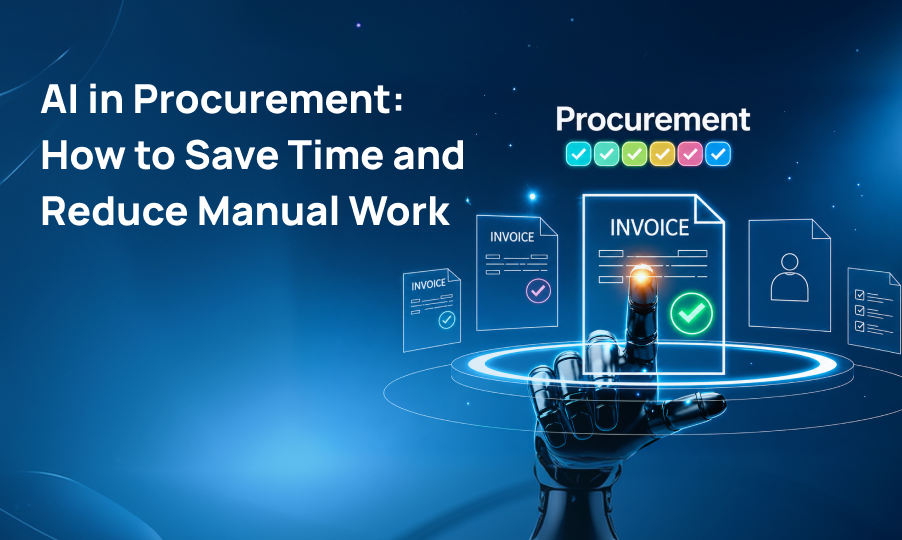
Procurement teams deal with a constant flow of documents, from purchase orders and invoices to supplier contracts, quotes, receipts, and compliance records. When these documents are handled manually, even routine tasks can consume valuable time and create opportunities for errors.
Procurement documentation automation is changing how businesses manage these processes. By combining artificial intelligence, document processing, and workflow automation, organizations can capture information from documents, validate data, route approvals, and organize records with less manual effort.
For businesses processing hundreds or thousands of procurement documents, automation can improve operational efficiency while giving procurement teams more time to focus on supplier relationships, cost management, and strategic decisions.
Table of Contents
- What Is Procurement Documentation Automation?
- Why Procurement Documentation Matters
- How Procurement Documentation Automation Works
- Key Procurement Documents That Can Be Automated
- Benefits of Procurement Documentation Automation
- The Role of AI in Procurement Documentation
- Intelligent Document Processing for Procurement
- Common Procurement Automation Use Cases
- Procurement Documentation Automation vs. Manual Processing
- Challenges of Procurement Documentation Automation
- How to Implement Procurement Documentation Automation
- The Future of Intelligent Procurement Automation
- Conclusion
What Is Procurement Documentation Automation?
Procurement documentation automation refers to using software, AI, and automated workflows to manage procurement documents with minimal manual intervention.
Traditional procurement processes often require employees to download documents, enter information into business systems, verify data, send documents for approval, and manually organize records.
With procurement document automation, many of these repetitive activities can be handled automatically.
For example, when an invoice arrives, an automated system can identify the document, extract important information, compare it against relevant purchasing records, and send it to the appropriate approval workflow.
This creates a more connected process from document intake to final processing.
Why Procurement Documentation Matters
Procurement documentation is an important part of purchasing and supplier management. These documents provide records of what was purchased, from whom, at what price, and under which terms.
However, procurement teams often receive documents in different formats and through different channels. This can make manual document management difficult.
Common challenges include:
- Repetitive data entry
- Missing or incorrect information
- Slow approval processes
- Difficult document tracking
- Duplicate records
- Delayed invoice processing
- Limited visibility into procurement data
- High administrative workload
Automated procurement documentation can address many of these challenges by creating standardized and connected workflows.
Instead of employees spending hours moving information between documents and systems, automation can handle routine processing while employees focus on tasks that require judgment.
How Procurement Documentation Automation Works
A typical automated procurement process involves several stages.
1. Document Capture
Procurement documents can enter an organization through email, document uploads, digital forms, scanning systems, or connected business applications.
The automation platform collects these documents and prepares them for processing.
2. Document Classification
The system identifies the type of document being processed.
For example, it can distinguish between:
- Invoices
- Purchase orders
- Supplier contracts
- Quotes
- Receipts
- Vendor forms
- Compliance documents
Classification allows each document to follow the appropriate processing workflow.
3. Data Extraction
The system extracts important information from the document.
Depending on the document type, this may include:
- Supplier name
- Invoice number
- Purchase order number
- Date
- Product or service
- Quantity
- Price
- Tax
- Payment terms
This procurement document processing step reduces the need for employees to manually copy information into other systems.
4. Data Validation
After information has been extracted, automation can check it against predefined rules or existing business records.
For example, an invoice could be checked against a purchase order to determine whether the supplier, amount, and other relevant details match.
If something appears unusual, the system can flag the document for human review.
5. Workflow Routing
Once the document has been processed, it can automatically move to the next stage.
For example:
Invoice received → Data extracted → Information validated → Approval requested → Approved → Payment workflow
This is where procurement workflow automation can significantly reduce processing delays.
6. Document Storage
After processing, documents and extracted information can be stored in the appropriate business systems.
This makes procurement records easier to search, retrieve, track, and manage.
Key Procurement Documents That Can Be Automated
Organizations can use procurement document automation across many different document types.
Purchase Orders
Purchase order information can be captured and transferred into procurement or ERP systems without requiring employees to manually enter every field.
Supplier Invoices
Invoice data can be extracted, validated, matched with purchasing information, and routed for approval.
Supplier Forms
Vendor onboarding forms and supporting documents can be automatically collected, classified, and routed to the appropriate teams.
Contracts and Agreements
AI can help identify important information within supplier contracts, such as dates, payment terms, renewal periods, and obligations.
Quotes and Proposals
Information from supplier quotations can be extracted and organized to make comparison and evaluation easier.
Compliance Documents
Certificates, tax forms, insurance documents, and other supplier records can be organized and processed according to predefined requirements.
Benefits of Procurement Documentation Automation
Reduces Manual Work
One of the biggest advantages of automation is reducing repetitive administrative tasks.
Instead of manually entering information from every invoice or purchase order, employees can rely on automated extraction and processing.
Improves Accuracy
Manual data entry can result in mistakes, especially when employees process large volumes of documents.
AI-based processing and automated validation can help identify inconsistencies and reduce avoidable errors.
Speeds Up Approvals
Documents no longer need to sit in email inboxes or wait for someone to manually forward them.
Automated workflows can route documents to the appropriate person as soon as they are ready for review.
Improves Visibility
Centralized documentation and automated workflows can provide better visibility into procurement activities.
Teams can more easily determine where a document is in the process and identify potential bottlenecks.
Supports Scalability
As organizations grow, procurement document volumes typically increase.
Automation allows businesses to process larger volumes without increasing manual administrative work at the same rate.
Creates More Consistent Processes
Automated workflows follow predefined rules and processes, helping organizations create greater consistency across departments and procurement activities.
The Role of AI in Procurement Documentation
Traditional automation works well when processes are highly structured and predictable. Procurement documents, however, are often inconsistent.
Different suppliers may use different layouts, formats, terminology, and document structures.
This is where AI procurement automation becomes valuable.
AI can help systems understand documents based on their content and context rather than relying entirely on fixed templates.
Technologies such as optical character recognition, machine learning, natural language processing, and intelligent document processing can work together to turn unstructured documents into structured information.
Businesses can also combine these capabilities with AI & Intelligent Systems to build AI-powered workflows around their existing business processes.
Intelligent Document Processing for Procurement
Intelligent document processing takes document automation a step further.
Instead of simply converting an image or scanned document into text, intelligent systems can identify relevant information, understand document structure, classify content, and extract data for downstream processes.
For procurement teams, this can be useful when dealing with large volumes of semi-structured or unstructured documents.
For example, an intelligent system could identify:
- Which supplier submitted a document
- What type of document it is
- Which purchase order it relates to
- What products or services are listed
- What amount needs to be paid
- Whether important information is missing
This structured information can then be used by automated workflows and enterprise applications.
WST’s Document Intelligence and AI + Automation capabilities can help businesses connect document understanding with broader operational workflows.
Common Procurement Automation Use Cases
Automated Invoice Processing
Invoice processing is one of the most common areas for procurement automation.
AI can capture invoice information, validate the data, identify discrepancies, and route invoices for approval.
Supplier Onboarding
Automation can collect supplier information and supporting documents while routing them through the appropriate review and approval stages.
Purchase Order Processing
Purchase order information can be captured and transferred into procurement systems, reducing manual entry and improving processing speed.
Contract Information Extraction
AI can identify key information within supplier agreements and make important contract details easier to manage.
Compliance Management
Automated systems can help organizations organize supplier documentation and identify missing or expired records.
Procurement Analytics
Once information from procurement documents has been converted into structured data, businesses can analyze purchasing activity and supplier information.
This can help organizations identify spending patterns, processing delays, supplier trends, and other operational insights.
Organizations can connect these workflows with Data & Analytics solutions to make better use of procurement data.
Procurement Documentation Automation vs. Manual Processing
The difference between manual processing and automation becomes more noticeable as document volumes increase.
| Manual Processing | Automated Processing |
|---|---|
| Employees enter data manually | AI extracts relevant information |
| Documents are routed manually | Workflows route documents automatically |
| Higher risk of repetitive errors | Automated validation can identify inconsistencies |
| Approvals can take longer | Documents can be routed immediately |
| Information may exist across multiple locations | Data can be centralized |
| Difficult to scale | Easier to handle increasing document volumes |
Automation does not mean removing people from procurement processes. Instead, it allows employees to spend less time on repetitive documentation tasks and more time on strategic work.
Challenges of Procurement Documentation Automation
While procurement automation solutions can provide significant benefits, organizations should consider several factors before implementation.
Data Quality
Poor-quality scans, incomplete documents, and inconsistent supplier information can affect automated processing.
AI systems should therefore include appropriate validation and exception-handling processes.
Integration
Procurement automation often needs to work alongside existing ERP, accounting, procurement, and document management systems.
Strong integration is important for creating an end-to-end automated workflow.
Security and Privacy
Procurement documents may contain financial information, supplier details, contracts, and other sensitive business data.
Organizations should implement appropriate access controls, security measures, and data protection practices.
Businesses can strengthen their broader technology environment with Cybersecurity solutions.
Human Oversight
Not every document or decision can be fully automated.
Unusual transactions, exceptions, complex contracts, and unclear information may require human review.
A practical approach is to automate routine processing while allowing employees to handle exceptions and important decisions.
How to Implement Procurement Documentation Automation
A successful automation strategy starts with understanding the existing procurement process.
Identify Repetitive Processes
Begin by identifying document-heavy tasks that consume significant employee time.
Invoice processing, supplier onboarding, purchase order handling, and compliance documentation are common starting points.
Define Automation Goals
Determine what the organization wants to improve.
Goals may include:
- Reducing manual data entry
- Improving processing speed
- Reducing errors
- Improving visibility
- Automating approvals
- Creating centralized documentation
Select the Right Technology
The technology should support the organization’s document types, workflows, integrations, and security requirements.
AI and intelligent document processing can be particularly useful when documents vary significantly in structure.
Connect Existing Systems
Automation becomes more valuable when it connects with existing ERP, procurement, accounting, and business applications.
For organizations with specialized requirements, Custom Application Development can help connect automation capabilities with existing systems and workflows.
Measure Performance
After implementation, organizations should monitor metrics such as processing time, exception rates, data accuracy, approval time, and manual effort.
These insights can help teams continuously improve their procurement workflows.
The Future of Intelligent Procurement Automation
Procurement automation is moving beyond simple document digitization.
The next stage is intelligent procurement automation, where AI can connect document understanding with decision-making and business workflows.
Instead of simply extracting information from an invoice, an intelligent system could analyze the document, compare it with purchasing records, identify potential issues, recommend the next action, and initiate the appropriate workflow.
AI assistants and intelligent agents may also help procurement professionals search documents, summarize supplier contracts, identify important terms, and answer questions about procurement records.
As these technologies mature, procurement teams can move from document-heavy administrative processes toward more intelligent and data-driven operations.
Conclusion
Procurement documentation automation provides businesses with a way to reduce repetitive document-related work while improving processing speed, accuracy, visibility, and scalability.
By combining AI document processing, intelligent document processing, and procurement workflow automation, organizations can turn procurement documents into structured and actionable information.
The goal is not simply to automate individual documents. The greater opportunity is to create connected procurement workflows where information can move efficiently from document capture through validation, approval, storage, and analysis.
For organizations dealing with growing procurement volumes, intelligent automation can become an important part of building more efficient and scalable operations.
Ready to take the next step?
Frequently Asked Questions
AI can extract information from invoices, purchase orders, contracts, supplier forms, and other documents. It can also classify documents, validate information, and trigger automated workflows.
Businesses can automate invoices, purchase orders, supplier onboarding forms, contracts, quotes, receipts, compliance documents, and other procurement records.
Key benefits include reduced manual data entry, fewer processing errors, faster approvals, better document visibility, improved workflow efficiency, and greater scalability.
Procurement workflow automation connects document processing with business rules and approval processes. After a document is captured and processed, it can automatically be validated, routed, approved, and stored.
Yes. Procurement automation solutions can be integrated with ERP, accounting, procurement, document management, and other enterprise applications, depending on the organization’s technology environment.
Yes. Intelligent document processing can convert information from unstructured procurement documents into structured data, helping organizations automate document-heavy processes and improve procurement efficiency.