Intelligent Document Processing (IDP) in HR uses AI, OCR, computer vision, and language models to automatically extract, classify, validate, and process information from documents such as resumes, tax forms, benefits forms, employee records, and certifications. It converts unstructured documents into structured data that can be integrated with HR systems.
Revolutionizing HR Operations: How Intelligent Document Processing Eliminates Admin Friction
Listen to this article
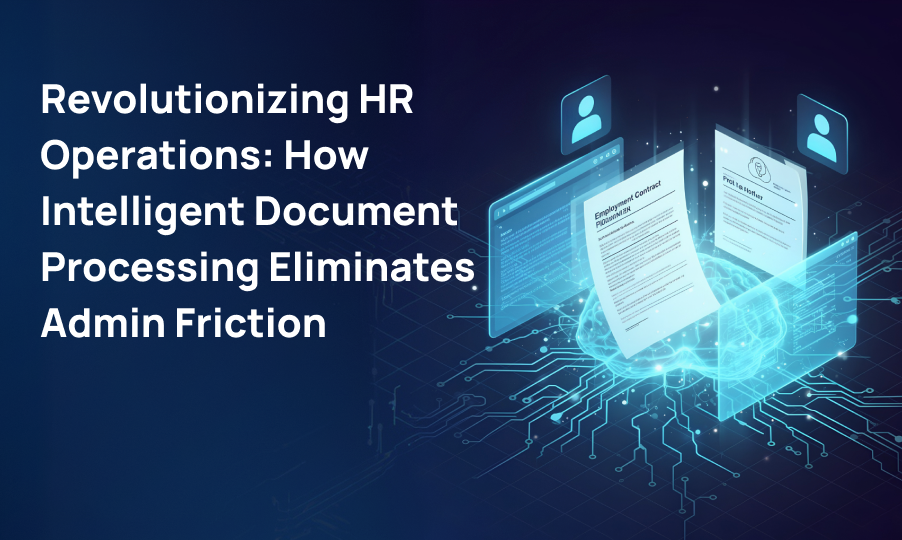
Table of Contents
- The Unseen Bottleneck in Modern HR
- What Is Intelligent Document Processing for HR?
- How AI Document Processing Transforms the HR Lifecycle
- How an Intelligent HR Document Processing System Works
- Building a Secure and Scalable HR IDP Architecture
- Business Impact and ROI of Intelligent Document Processing
- Challenges to Consider When Implementing HR IDP
- How Wisdom Square Technologies Approaches HR Document Automation
- The Future of AI-Powered HR Document Processing
- Conclusion
The Unseen Bottleneck in Modern HR
Human Resources has become increasingly digital, but many HR processes still depend heavily on documents.
Resumes arrive as PDFs. New employees submit tax forms and identity documents. Benefits teams process enrollment forms and supporting documentation. Payroll departments manage receipts, statements, and employee records. Compliance teams regularly review certifications, policies, and other documentation.
The problem isn't simply the number of documents.
It is the amount of manual work required to understand, validate, classify, and transfer information from those documents into enterprise systems.
HR professionals may spend significant portions of their working day reviewing documents, searching for specific information, copying data between applications, and correcting errors. These activities may appear manageable individually, but across thousands of employees and applicants, they create substantial operational friction.
The result can include:
- Slower employee onboarding
- Delayed HR service requests
- Duplicate data entry
- Inconsistent information across systems
- Increased administrative workload
- Greater risk of compliance issues
- Difficulty scaling during periods of high hiring activity
Traditional OCR can help extract text from documents, but simply converting an image into text isn't enough for modern HR operations.
HR teams need technology that can understand documents, identify relevant information, validate extracted data, and route that information into downstream workflows.
This is where Intelligent Document Processing (IDP) becomes increasingly valuable.
What Is Intelligent Document Processing for HR?
Intelligent Document Processing is an AI-powered approach to extracting, interpreting, validating, and processing information from structured, semi-structured, and unstructured documents.
Unlike traditional OCR, which primarily recognizes characters and converts images into machine-readable text, modern IDP combines multiple technologies, including:
- Optical Character Recognition (OCR)
- Machine learning
- Natural language processing
- Computer vision
- Large language models
- Vision language models
- Document classification
- Retrieval-Augmented Generation (RAG)
- Data validation
- Human-in-the-loop workflows
For HR departments, this means a document can move through a workflow such as:
Document → Classification → Extraction → Validation → Business Rules → HRIS/ERP
Instead of simply reading a document, an IDP platform can determine what the document is, what information matters, whether the information is complete, and what should happen next.
For example, an employee onboarding workflow might receive a scanned tax form. An intelligent document processing system can identify the form type, extract relevant fields, validate required information, flag missing data, and send structured information to the appropriate HR system.
The HR professional only needs to intervene when the system encounters an exception or low-confidence result.
How AI Document Processing Transforms the HR Lifecycle
Intelligent document processing can be applied across multiple stages of the employee lifecycle, from recruitment through offboarding.
1. Talent Acquisition and Employee Onboarding
Recruitment generates a significant volume of unstructured information.
Resumes, cover letters, certifications, applications, identification documents, offer letters, tax forms, and direct deposit information can all have different layouts and formats.
Automated Resume Parsing
An IDP platform can analyze resumes and extract information such as:
- Candidate name
- Contact information
- Employment history
- Education
- Certifications
- Technical skills
- Professional qualifications
- Years of experience
The extracted information can then be transformed into structured data for an applicant tracking system or HR platform.
This reduces the need for recruiters to manually enter information from every resume.
More importantly, AI-powered document processing can handle resumes with different layouts instead of depending entirely on fixed templates.
Faster Employee Onboarding
Once a candidate becomes an employee, HR teams may need to process several documents. These can include:
- I-9 forms
- W-4 forms
- Direct deposit forms
- Identification documents
- Employment agreements
- Benefits documentation
- Certifications
- Policy acknowledgments
Instead of manually reviewing and entering each field, an IDP workflow can extract the relevant information and route it to the appropriate system.
This can help reduce the administrative burden associated with onboarding while allowing HR teams to focus more attention on the employee experience.
2. Benefits and Payroll Administration
Benefits and payroll processes frequently involve documents containing tables, numerical values, dates, employee identifiers, and multiple election options.
These documents can be particularly challenging for basic OCR systems because information may depend on layout and context, not just individual words.
Processing Benefits Enrollment Documents
An intelligent document processing system can extract information from benefits forms such as:
- Health insurance elections
- Retirement plan selections
- Dependent information
- Coverage levels
- Contribution amounts
- Effective dates
The extracted information can then be validated against business rules before being transferred to downstream systems.
For example, the system could identify an employee's selected benefit plan and contribution amount, then verify whether the values fall within configured business rules.
Expense and Receipt Processing
HR and finance teams may also process employee expense documentation.
IDP can extract:
- Merchant information
- Transaction dates
- Amounts
- Tax values
- Expense categories
- Employee information
The extracted information can then be compared against expense policies or submitted into an expense management platform.
This creates an automated workflow while keeping exceptions available for human review.
3. HR Governance, Risk and Compliance
HR departments manage highly sensitive information.
Employee records can contain personally identifiable information, financial information, employment history, tax information, and other confidential data.
Consequently, document automation cannot be treated simply as an efficiency project. Security, privacy, access control, and auditability must be designed into the architecture.
Creating Automated Audit Trails
An enterprise-grade IDP workflow can maintain records of:
- When a document was received
- What processing occurred
- Which fields were extracted
- Whether validation was successful
- Who reviewed an exception
- What changes were made
- When the information was transferred to another system
This creates greater visibility into document workflows and can simplify investigations and audits.
Identifying Missing Information
AI-powered document processing can also detect potential exceptions, including:
- Missing signatures
- Missing fields
- Expired certifications
- Incomplete forms
- Invalid formats
- Conflicting information
Instead of requiring HR staff to manually inspect every document, the system can automatically identify documents requiring attention.
PII Detection and Redaction
Organizations may also need to identify and redact sensitive information before documents are shared or stored for specific purposes.
AI-based document processing can help identify sensitive fields and apply configurable redaction workflows.
The exact implementation should be determined by the organization's security, privacy, retention, and regulatory requirements.
How an Intelligent HR Document Processing System Works
A successful HR IDP implementation is more than an OCR engine. It requires an end-to-end architecture that connects document ingestion, AI extraction, validation, business logic, security, and enterprise applications.
A typical architecture looks like this:
[ Unstructured Documents ]
PDFs | Images | Scans | Email Attachments
↓
[ Ingestion & Classification ]
Azure Blob / AWS S3 + Layout Parsing
↓
[ Multi-Modal Extraction Engine ]
Vision LLMs + Advanced OCR + RAG
↓
[ Validation & Human-in-the-Loop ]
Confidence Scores + Exception Dashboard
↓
[ Enterprise Integration ]
Workday / SAP / Salesforce / Custom Systems
1. Ingestion and Data Pipelines
The first stage is securely collecting documents from their sources.
Documents may originate from:
- Email attachments
- Employee portals
- Applicant portals
- Cloud storage
- HR applications
- Scanners
- Enterprise document management systems
Cloud-native infrastructure such as Azure or AWS can be used to create scalable ingestion pipelines.
Documents can then be securely stored, classified, processed, and routed through downstream workflows.
2. Document Classification
Before extracting information, the system needs to understand what type of document it has received.
For example:
Is this a resume, W-4, benefits form, certification, invoice, receipt, or employment agreement?
AI-based classification can categorize documents even when layouts differ.
This is particularly useful in environments where HR teams receive documents from many employees, candidates, vendors, and external systems.
Once classified, each document can be routed to the appropriate extraction workflow.
3. Hybrid AI Extraction
One of the most important components of modern IDP is the extraction engine.
Traditional OCR can recognize characters, but it may struggle to understand the relationship between different elements on a page.
For example, knowing that a document contains the words "Employee Contribution" isn't enough. The system must understand which numerical value corresponds to that field.
A hybrid architecture can combine:
- Advanced OCR
- Layout-aware document processing
- Computer vision
- Vision language models
- Domain-specific prompts
- Retrieval-Augmented Generation
- Rule-based validation
This approach allows organizations to process both structured and highly variable documents.
For example, two employees may submit different versions of a benefits form. A layout-aware AI system can still identify the relevant fields even when their positions differ.
4. Human-in-the-Loop Validation
AI automation does not mean eliminating humans from every workflow.
For enterprise HR systems, a better approach is often human-in-the-loop automation.
Each extraction can be assigned a confidence score.
High-confidence records can move through the workflow automatically.
Low-confidence records can be routed to an HR employee for review.
For example:
Document Received → AI Extraction → Confidence Check → High Confidence → Automated Processing → HR System
Document Received → AI Extraction → Confidence Check → Low Confidence → Human Review → Correction → HR System
This model combines automation with human oversight.
It also creates an opportunity for organizations to analyze recurring exceptions and continuously improve their extraction models and business rules.
5. Enterprise Integration
Extracting information is only one part of the problem.
The real business value comes when extracted information can move into the systems HR teams already use.
An IDP platform can be integrated with enterprise applications and data platforms through APIs, workflow automation, and structured data pipelines.
Depending on the organization's technology environment, this may include platforms such as:
- Workday
- SAP SuccessFactors
- Salesforce
- Microsoft Fabric
- Databricks
- Enterprise data warehouses
- Custom HR applications
For example:
HR Document → IDP → Structured JSON → API → HRIS
This eliminates the need for HR professionals to manually copy information between applications.
Building a Secure and Scalable HR IDP Architecture
HR documents contain sensitive employee information, so security should not be an afterthought.
An enterprise IDP architecture should consider several areas.
Data Encryption
Documents and extracted data should be protected both in transit and at rest using appropriate enterprise security controls.
Identity and Access Management
Access to documents and extracted information should follow least-privilege principles. Different HR users may require different levels of access depending on their responsibilities.
Auditability
Organizations should maintain logs showing how documents were processed and who interacted with exceptions or extracted data.
Data Retention
Document retention policies should be aligned with organizational requirements and applicable regulations.
Secure AI Processing
Organizations should understand where documents are processed, how data flows through AI services, and what controls exist around data retention and model usage.
A production-grade IDP platform therefore needs to combine AI capabilities with enterprise security architecture.
Business Impact and ROI of Intelligent Document Processing
The business case for HR document automation extends beyond simply reducing data entry.
80% Reduction in Processing Time
Automating repetitive document workflows can significantly reduce the time required to process HR documentation.
Instead of waiting for employees or HR administrators to manually review and enter information, documents can be processed automatically and exceptions can be surfaced immediately.
Actual improvements will depend on document complexity, workflow design, integration depth, and the organization's starting point.
Improved Data Accuracy
Manual data entry creates opportunities for:
- Typographical errors
- Transposed numbers
- Missing fields
- Duplicate records
- Incorrect classifications
Automated extraction combined with validation rules can reduce these errors and create more consistent data.
Rather than relying on a single accuracy number across every document type, organizations should measure extraction performance at the field and workflow level.
Faster Employee Onboarding
When onboarding documents can be processed automatically, employees can spend less time waiting for administrative tasks to be completed.
This can improve the onboarding experience while reducing repetitive work for HR teams.
Better Compliance Visibility
Automated audit trails, document classification, validation rules, and exception management can give organizations better visibility into their HR document processes.
Scalable HR Operations
Hiring volumes can fluctuate significantly. During periods of rapid recruitment, manually processing thousands of documents can require additional administrative capacity.
An automated IDP architecture can scale processing capacity without requiring a proportional increase in administrative headcount.
Challenges to Consider When Implementing HR IDP
Despite its benefits, implementing intelligent document processing requires careful planning.
Document Variability
HR documents don't always follow consistent templates. Organizations should test IDP solutions against real-world document variation rather than relying only on ideal sample documents.
AI Accuracy
No AI system should be assumed to be perfect. Organizations should establish confidence thresholds, validation rules, exception handling, and monitoring before allowing automated workflows to make consequential changes.
Integration Complexity
HR systems often have complex APIs, permissions, data structures, and business rules. The IDP layer needs to be designed around these existing systems rather than operating as an isolated AI application.
Security and Privacy
Sensitive HR information requires strong controls around access, encryption, data retention, monitoring, and AI processing.
Change Management
Successful automation also requires employee adoption. HR teams need to understand how the system works, when human intervention is required, and how exceptions should be handled.
How Wisdom Square Technologies Approaches HR Document Automation
At Wisdom Square Technologies, the objective isn't simply to introduce another AI tool into an organization's technology stack.
The goal is to design an enterprise-ready document processing architecture that fits into existing business workflows.
Our approach follows an architecture-led delivery model:
Business-Tech Alignment
We begin by understanding the organization's document workflows, systems, bottlenecks, security requirements, and business objectives.
Scale, Secure, Endure
The architecture is designed with scalability, security, reliability, and long-term maintainability in mind.
Build, Connect, Test
We develop the IDP pipeline, connect it with enterprise applications, establish validation workflows, and test the system against real-world documents.
Optimize, Evolve
Once deployed, the system can be monitored and improved based on extraction performance, exception rates, workflow bottlenecks, and changing business requirements.
This approach helps organizations move from an experimental AI proof of concept toward a production-ready automation platform.
The Future of AI-Powered HR Document Processing
The evolution of HR document automation is moving beyond basic OCR.
The next generation of systems will increasingly combine multimodal AI, workflow automation, enterprise integration, and intelligent decision support.
Instead of asking:
"Can the system read this document?"
organizations will increasingly ask:
"Can the system understand this document and safely determine what should happen next?"
That distinction is important.
A document processing platform that simply extracts text still leaves much of the workflow to humans.
An intelligent document processing platform can potentially:
- Understand the document
- Extract relevant information
- Validate the information
- Apply business rules
- Identify exceptions
- Route the information
- Update enterprise systems
- Maintain an audit trail
This creates a foundation for more intelligent HR operations.
Over time, organizations can expand these capabilities across recruiting, onboarding, payroll, benefits, compliance, employee services, and other administrative workflows.
Conclusion: From Document Processing to Intelligent HR Operations
HR teams shouldn't have to spend their time acting as data-entry operators.
Yet many organizations continue to rely on manual document processing for critical workflows involving recruitment, onboarding, payroll, benefits, and compliance.
Intelligent Document Processing changes this model.
By combining OCR, computer vision, Vision LLMs, document classification, validation, human-in-the-loop workflows, and enterprise integration, organizations can transform documents from administrative burdens into structured, actionable data.
The biggest opportunity isn't simply processing documents faster.
It's creating an HR operation where information moves securely, accurately, and automatically from the document to the system where it is needed.
For organizations evaluating AI document processing, the starting point should be the workflow not the technology.
Identify where document-driven processes create the most friction, establish measurable performance targets, design the security and integration architecture, and then automate progressively.
Ready to modernize your HR document workflows? Connect with Wisdom Square Technologies to architect an AI-powered document processing platform built around your organization's requirements.
Ready to take the next step?
Frequently Asked Questions
IDP can reduce manual data entry, accelerate employee onboarding, improve data accuracy, automate document classification, identify missing information, and route exceptions to HR staff for review. It can also help HR teams handle higher document volumes without proportionally increasing administrative workload.
Yes. An enterprise IDP solution can integrate with HRIS, ERP, CRM, and data platforms through APIs and structured data pipelines. Depending on the organization's technology environment, extracted information can be transferred to platforms such as Workday, SAP SuccessFactors, Salesforce, Microsoft Fabric, Databricks, or custom HR applications.
IDP can be designed with enterprise security controls such as encryption, role-based access, audit logging, data retention policies, and least-privilege access. For sensitive HR data, organizations should also evaluate how AI services process, retain, and protect submitted documents before deploying them in production.
Modern IDP workflows can use confidence scores and validation rules to identify uncertain extractions. High-confidence information can be processed automatically, while low-confidence records are routed to HR employees through a Human-in-the-Loop (HITL) workflow for verification or correction. This approach combines AI automation with human oversight.